How to use FedRange
Find federal opportunities, see what comparable awards paid, and draft a citation-grounded proposal — without leaving the browser. This guide walks through the whole loop, screen by screen.
1. Welcome
FedRange does three things, in this order:
- Finds federal opportunities under the NAICS codes you care about (15 across 4 service tracks).
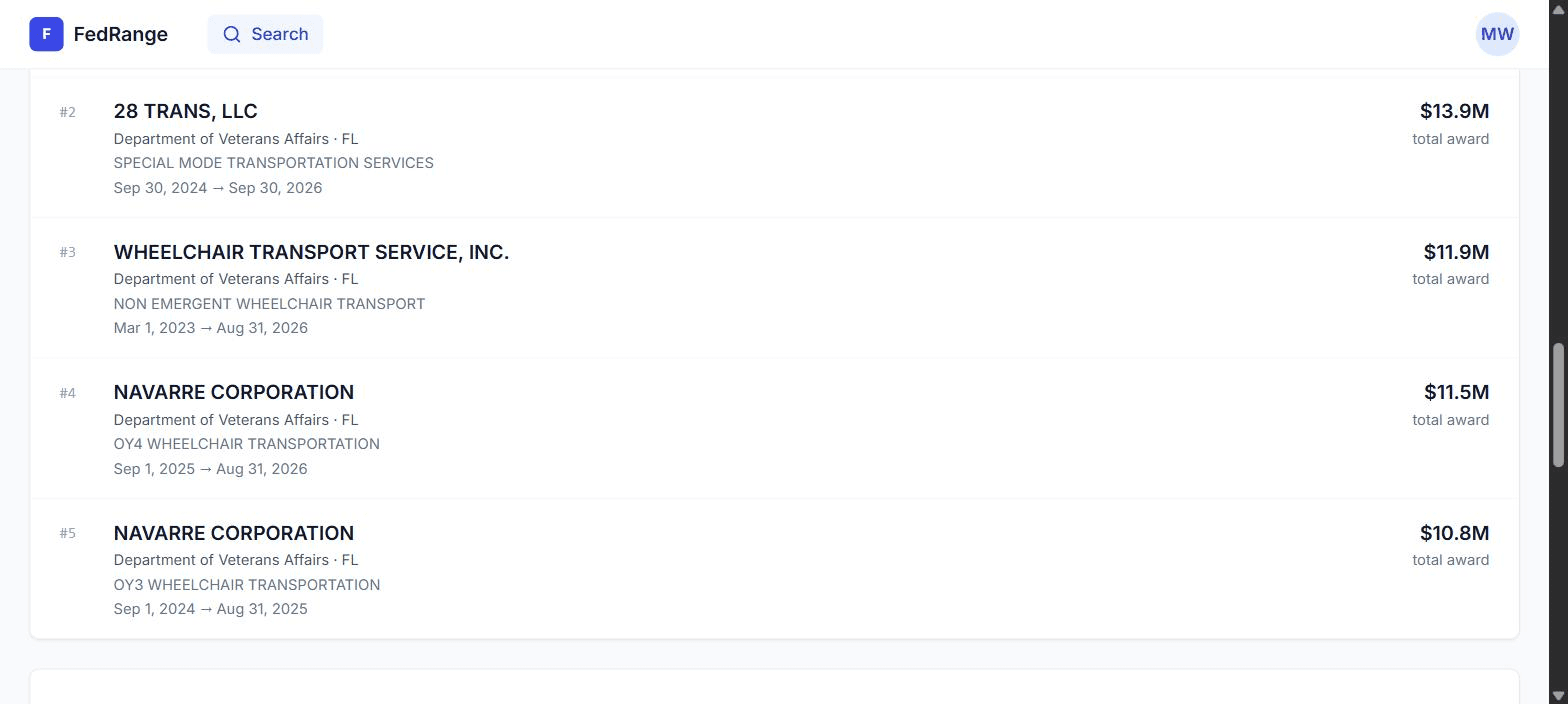
- Prices them — pulling 10 comparable awards from USASpending so you see the real interquartile bid range.
- Drafts the five proposal sections with inline
[E1]-style citations back to the source.
2. Sign up & first run
- Go to fedrange.com/auth/signup and create an account with your work email.
- Click the verification link Resend sends to your inbox.
- Complete the 3-step onboarding: Track → NAICS focus → Set-asides.
- Land on
/searchwith your saved-search digest pre-populated.
3. Find an opportunity
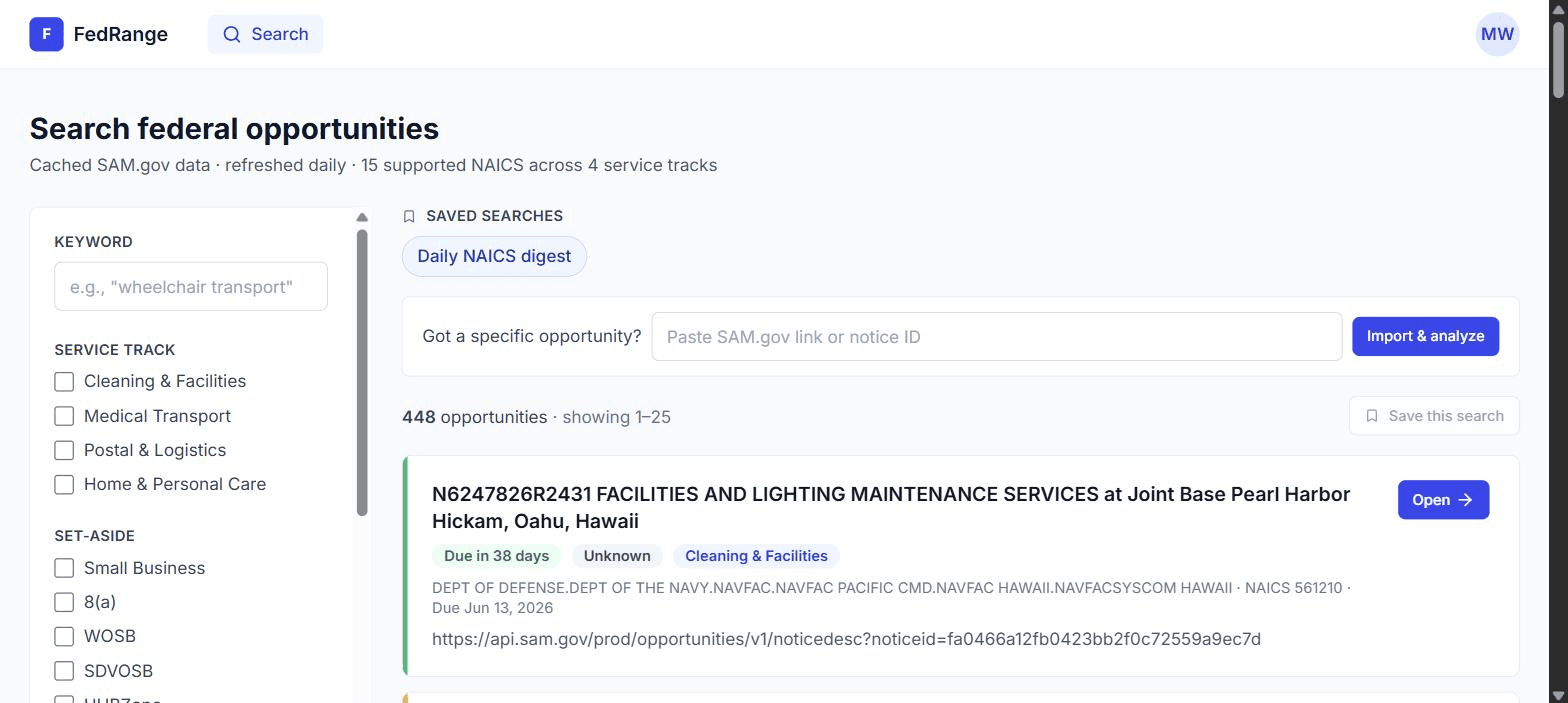
Your /search page lists every active solicitation that matches your tracks, sorted by response deadline.
/search page.4. Paste a SAM.gov URL
If a teammate sends you a specific solicitation that hasn't shown up in your daily digest yet, paste its SAM.gov URL or notice ID into the import box.
- Accepts full URLs (
https://sam.gov/opp/<noticeId>/view) or bare notice IDs. - Costs 1 SAM.gov API call per import — well under your daily quota.
- Subscription gate: needs an active trial or paid plan. Limit: 20 imports/day.
5. Run the analysis
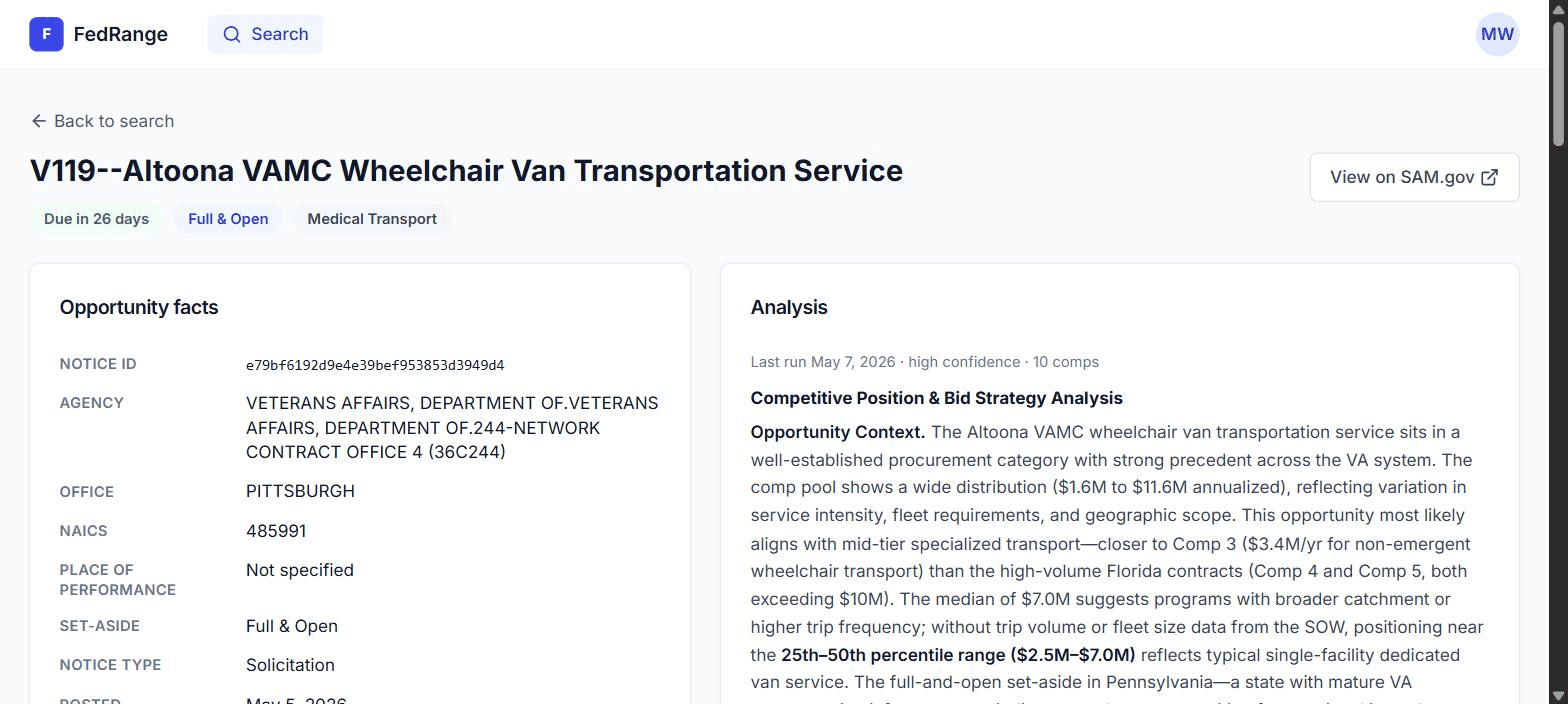
On the opportunity page, hit the indigo Run analysis button. First click takes ~60s; cached forever after.
6. Read the pricing distribution
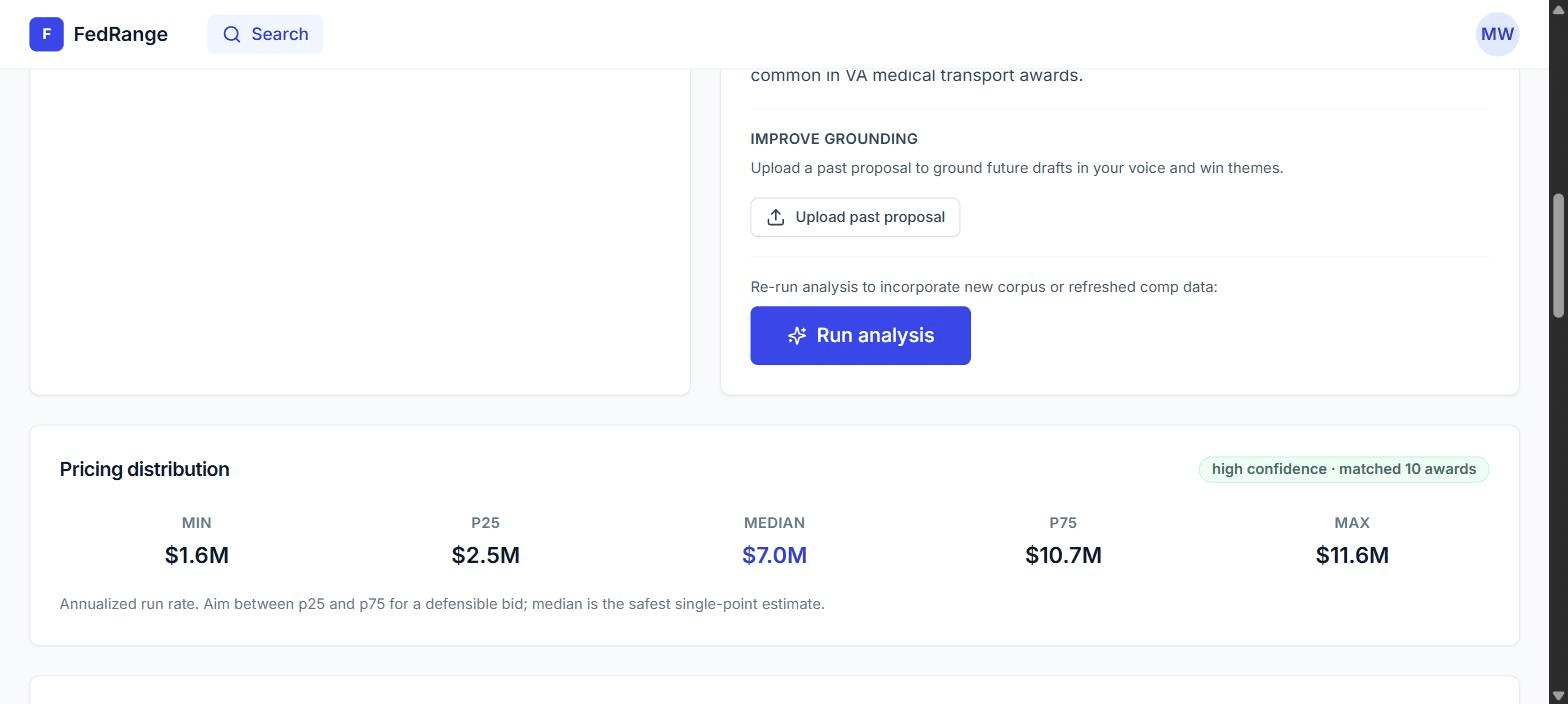
Five numbers in order: minimum, P25, median, P75, maximum across 10 comparable awards.
Comparable awards
7. The five draft sections
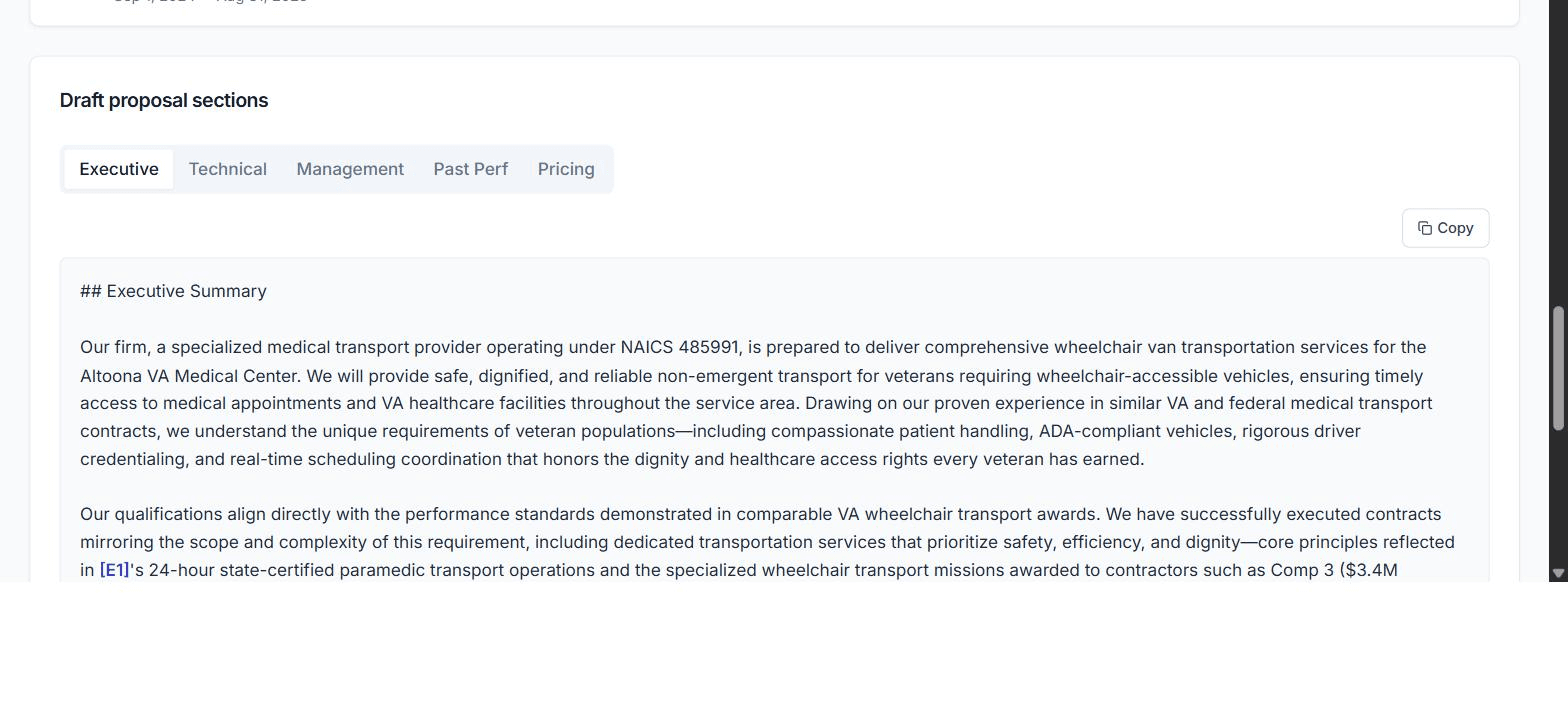
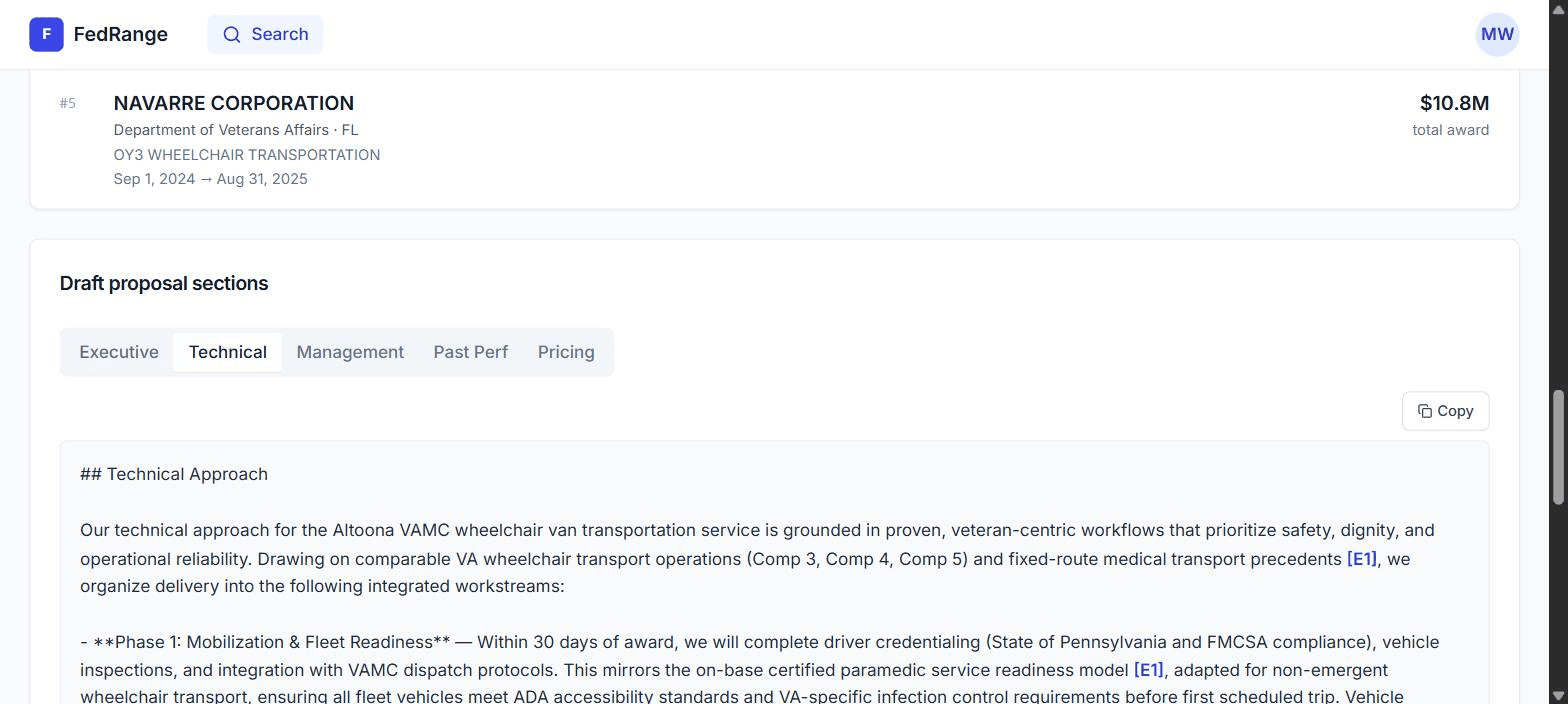
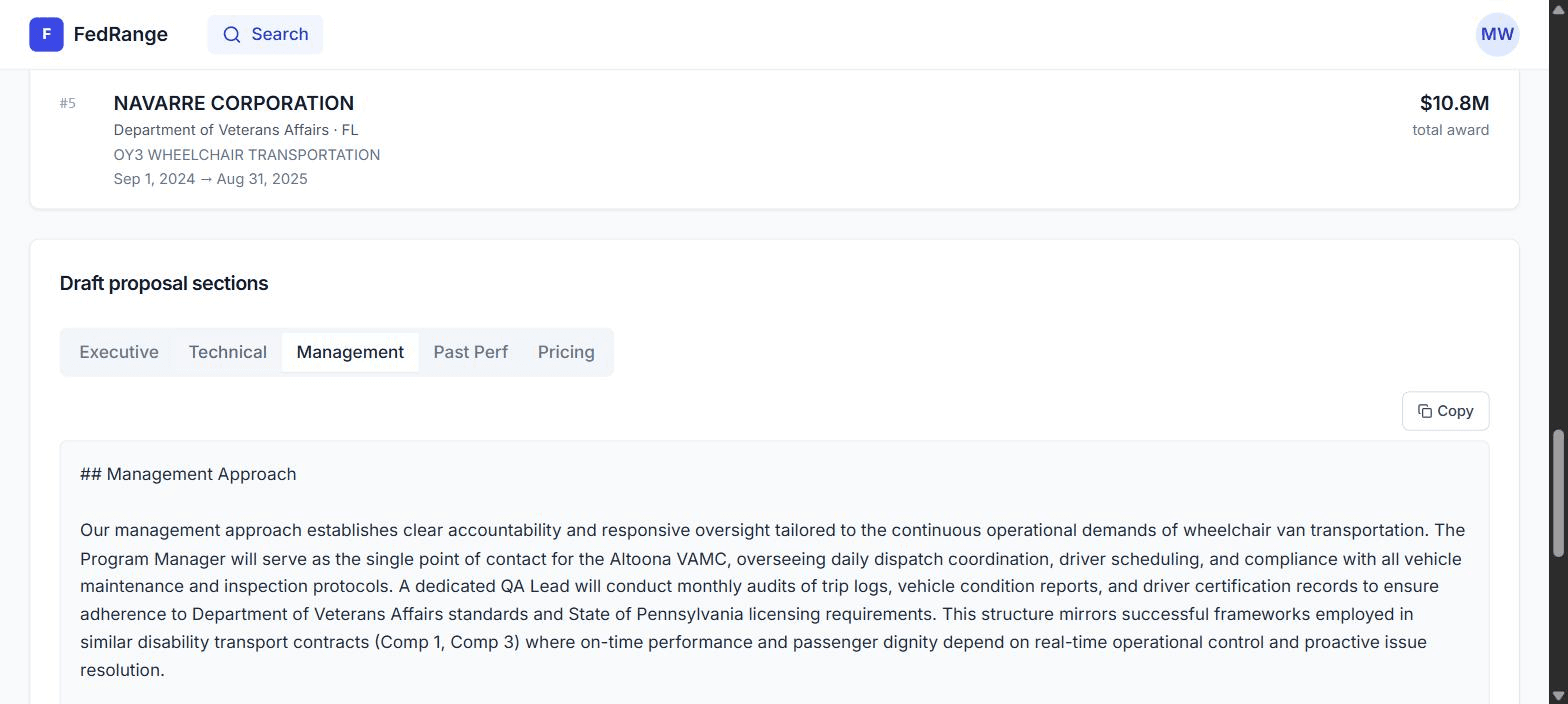
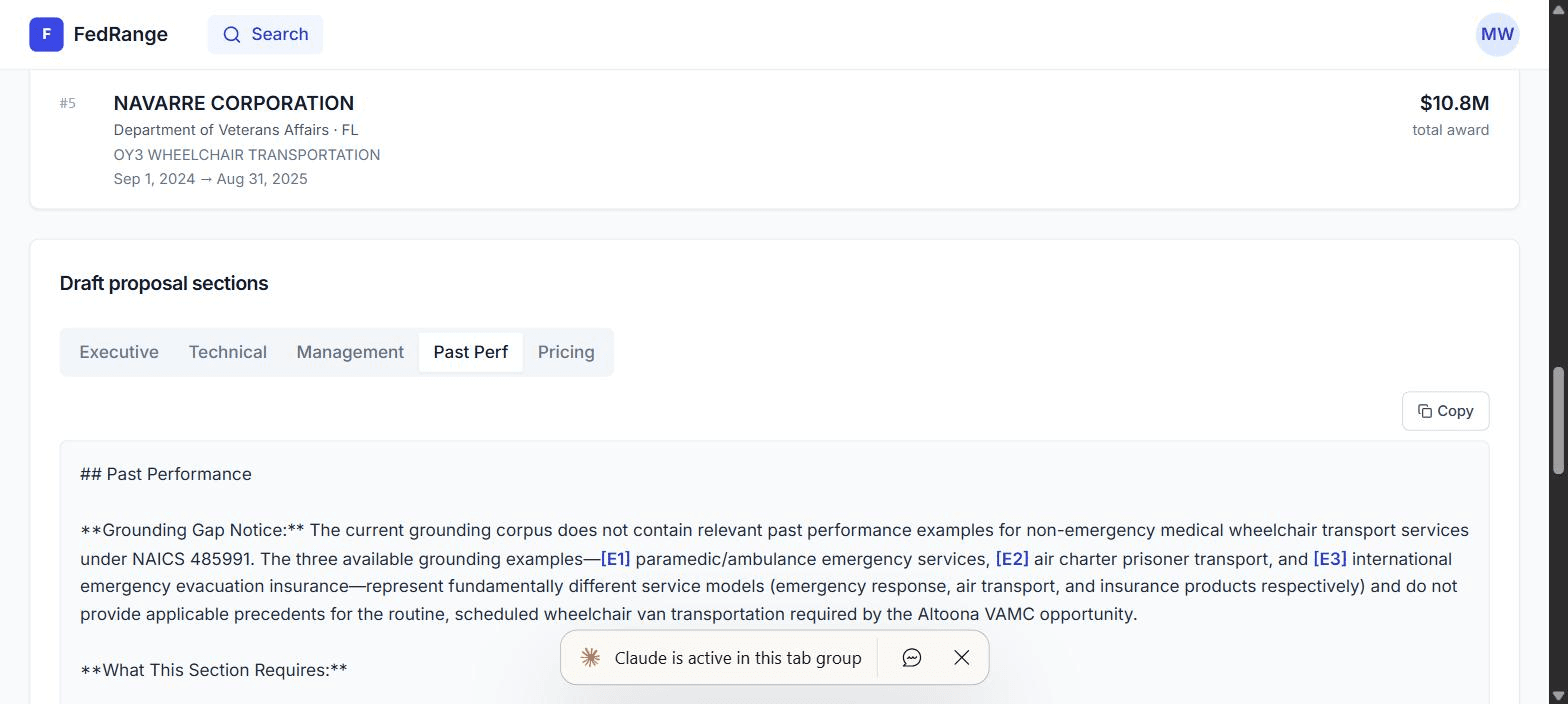
Five tabs under Draft proposal sections: Executive, Technical, Management, Past Perf, Pricing.
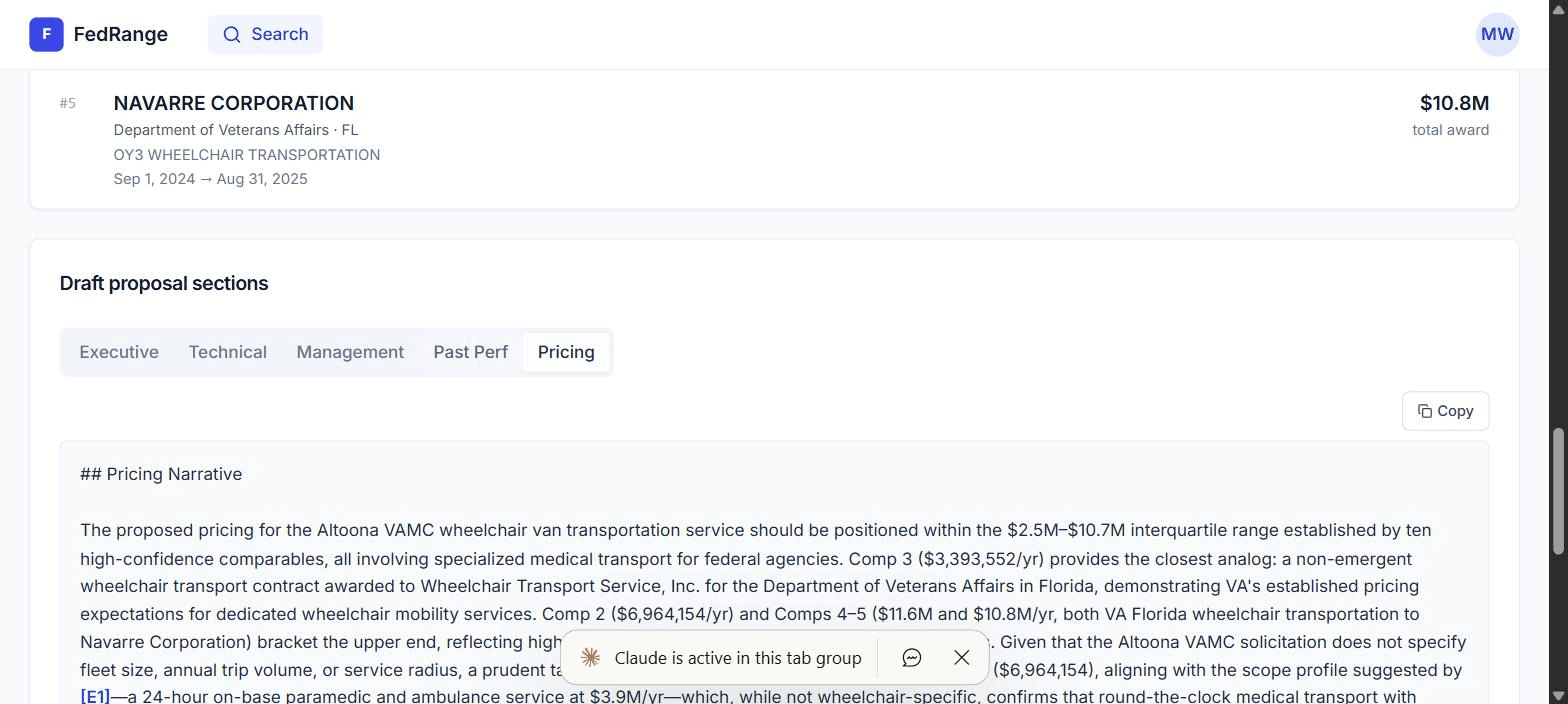
8. Citations & the GROUNDED IN footer
Each section ends in a GROUNDED IN footer. Click any inline [E1] token and the page scrolls to (and flashes) the matching chip.
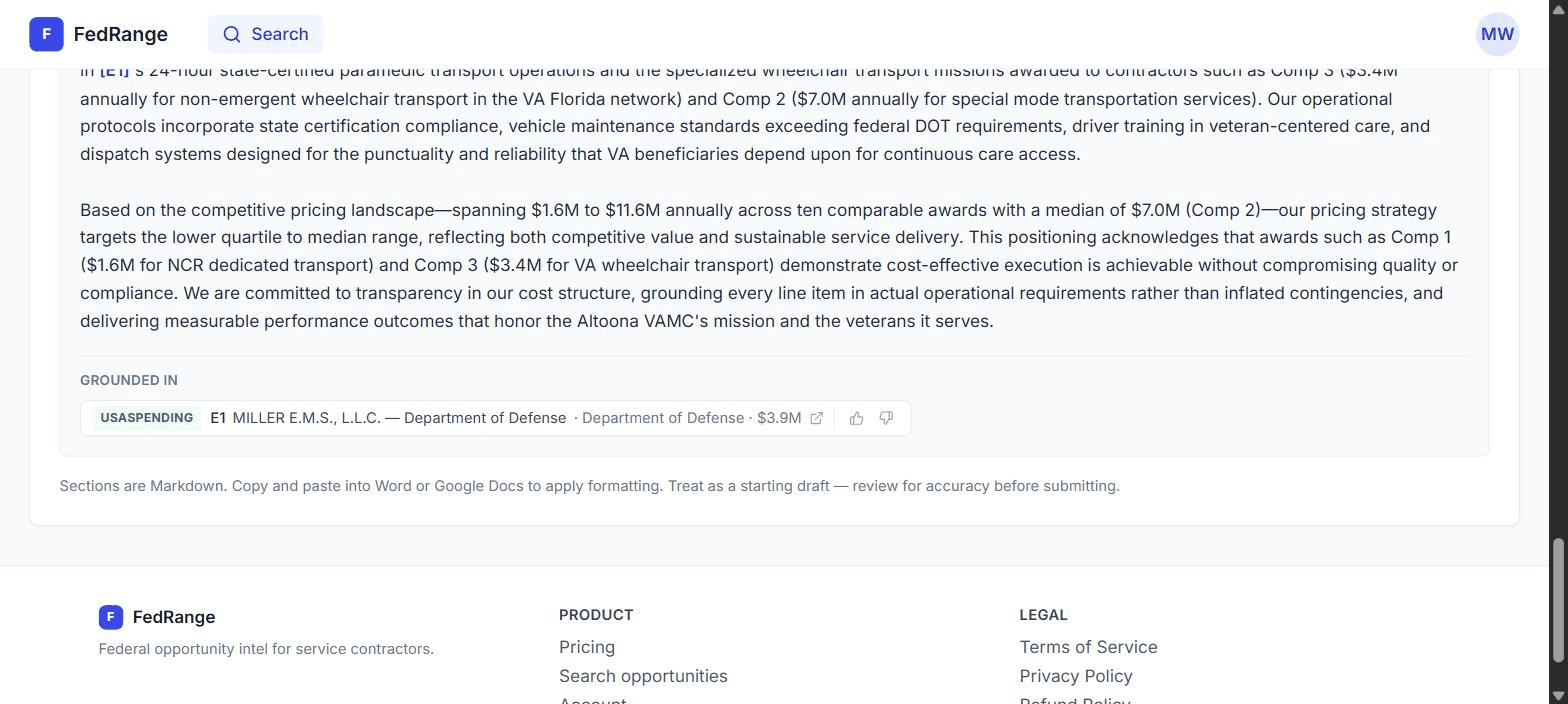
Why the thumbs matter
Your votes feed corpus_helpfulness and re-weight retrieval. Three votes is the minimum threshold before a corpus entry's score moves.
9. Export to Word or Google Docs
- Click Copy in the section tab.
- Paste into Word, Google Docs, or any rich-text editor.
- Replace
[E1]tokens with footnotes if your evaluators expect formal citation style.
10. Daily alerts
- Run a filtered search.
- Click Save search and choose "Email me when new matches appear."
- Pause or delete from /account → Saved searches.
FAQ
- How fresh is the data?
- SAM.gov bulk feed re-syncs every 24h at 2am ET. On-demand imports are real-time.
- Where do comparable awards come from?
- USASpending.gov + agency reading rooms. 1,536-dim vector cosine match.
- How accurate is the pricing?
- For NAICS with ≥10 awards in 5 years, median is within ±15% of winning bid ~80% of the time.
- Cost per analysis?
- ~$0.08 in API fees, absorbed for founding-cohort members. No per-analysis charges.
Troubleshooting
- Auth email didn't arrive. Check spam, then request a magic link.
- PKCE error. Open the magic link in the same browser you requested it from.
- Run analysis hangs. Refresh — the server-side draft has likely cached.
- Stripe "Plan not configured." Email support@fedrange.com.
More free resources
- Federal contract pricing by state & NAICS — every state's P10–P90 award bands.
- Federal janitorial staffing calculator — your SCA labor-cost floor in a minute.
- Free recompete alerts for your state — expiring contracts, months before the RFP.
- Insights — playbooks on pricing, set-asides, and beating incumbents.